CopyNow works right out of the box — install it, paste in a few cards, and you’re already copying with one tap. But most people stop there. The cards pile up, they get harder to find, and eventually you drift back to Notes.
The difference isn’t features. It’s whether you spent five minutes up front making it yours.
Here are the 5 settings worth doing first, in order of impact. The whole thing takes about five minutes, and you get it back every day after.
Why bother with the five minutes?
Copy-paste tools fail for one reason almost every time: the text is in there, but you can’t find it when you need it.
Getting a card from “I need this” to “it’s pasted” has three gates:
- Open the app (or bring up the keyboard)
- Find the card in the list
- Tap to copy
CopyNow already makes steps 1 and 3 about as short as they get. The one that slows you down is always step 2 — finding. All five settings below are about that.
1. First, decide what actually deserves to be a card
This isn’t a setting inside the app, but it decides whether the other four are worth anything.
Text worth saving usually meets two conditions: you reuse it, and it doesn’t change.
Good candidates:
- Email signature
- Company tax/VAT number and legal name
- Bank or payment details
- Recurring form URLs and meeting room links
- Support canned replies and sales openers
- Your mailing address in English
- Social bio, discount codes
- Job-application thank-you notes, portfolio links
- Office Wi-Fi password
Not worth a card:
- Anything that changes — this week’s promo dates, an amount that varies per order. Saving it just means you’ll paste the stale version
- One-time text — the system clipboard already handles that
- Long-form notes — that’s what Notes is for. CopyNow is for text you send in one go
- High-sensitivity data — full card numbers, banking passwords. Nothing that’s one tap away should hold those
Don’t over-collect at the start. Ten to fifteen cards you’ll genuinely use this week beats importing a hundred.
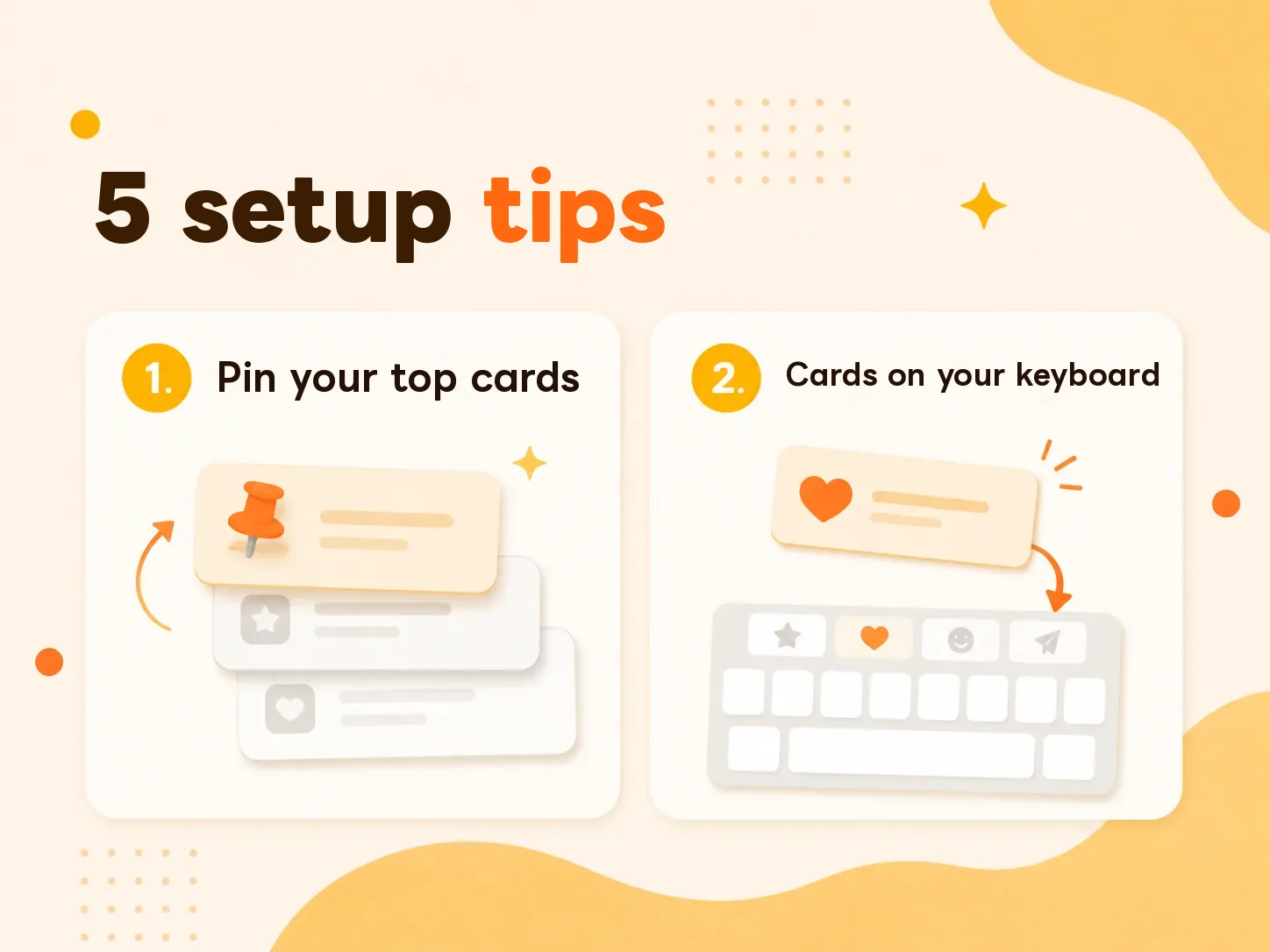
2. Pin the cards you tap several times a day
CopyNow doesn’t support free drag-to-reorder. Instead there’s pinning.
Pinned cards stay at the top of the list and show up first on the custom keyboard. That means your most-used few never need scrolling and never need searching.
In practice:
- Keep pins to 3–5 cards. Pin everything and you’ve pinned nothing — the first screen is full again
- Rotate them. Job hunting this month? Pin the thank-you note. Running a group order next month? Swap in the payment details
- Judge by “how many times a day,” not “how important.” Important-but-monthly is what categories and search are for
3. Turn on the CopyNow custom keyboard
This is the highest-payoff setting, because what it saves is the app switch — you stay inside LINE, Gmail, or Instagram and type the card straight into the field, no jumping out and back.
To enable it:
Settings → General → Keyboard → Keyboards → Add New Keyboard → CopyNow
There’s a quick setup walkthrough inside the app too.
Two things worth doing right after:
- Reorder the keyboard buttons — go to Settings → Manage Keyboard Order, long-press a button and drag, so your most-used sit first
- Check the card is on the keyboard list — cards that were never added there won’t show up on the keyboard
Why is there a limit on keyboard cards?
This trips a lot of people up: the card is visible in the app, but not on the keyboard.
iOS holds keyboard extensions to a much tighter memory limit than regular apps. To keep the keyboard opening fast and not crashing, there’s a cap on how many cards sync to it.
So treat the keyboard as your first team, not your whole inventory: reserve it for text you’ll need mid-typing in another app. Everything else stays in the app, where search finds it.
The custom keyboard and iCloud sync are part of the Lifetime plan ($14.99, one-time). On the free plan you can still get the create-and-organize flow down first.
4. Use categories to shrink the haystack
Categories aren’t about tidiness. They’re about narrowing what you have to search.
A practical approach is to sort by situation rather than by content type — because when you reach for a card, you’re thinking “what am I doing right now,” not “is this a URL or a paragraph.”
| Approach | Categories look like | How well it works |
|---|---|---|
| By content type | URLs, addresses, email, passwords | So-so. “Form link” and “meeting link” end up in the same pile |
| By situation | Support replies, group orders, job hunt, expenses | Good. Open it and you’re looking at exactly today’s stack |
| By recipient | Clients, colleagues, vendors, family | Great for sales and admin roles, where “what I say to whom” is clear-cut |
CopyNow categories can carry a color. The point of the color is recognizing a category without reading the label — so keep one color meaning one thing, instead of picking a new one at random each time.
5. Name cards with the word you’ll actually search
Search can only rescue cards whose keyword you can remember. So don’t title a card with its first sentence — title it with the word future-you will type into the search box.
| Weak title | Strong title | Why |
|---|---|---|
| Hi there, thanks for reaching out… | support opener | Nobody searches “Hi there” |
| Chase 1234 | payment bank transfer invoice | You’ll think “payment,” not the bank name |
| Dear Hiring Manager | job thank-you note english | Covers three possible search terms at once |
Small trick: stack a synonym or two into the title. “payment bank transfer invoice” beats plain “payment,” because future-you won’t necessarily reach for the same word.
After setup: come back in a week and audit
Almost nobody does this one, and it’s the one you feel most.
After a week of use, open the app and look at two things:
- Cards you never tapped once — delete them, or at least drop them from pins and the keyboard list
- Text you typed by hand twice or more this week — that’s a card you’re missing. Add it
A card library is like a wardrobe: whether it works depends on cleaning it out regularly, not on how much is in it.
FAQ
I can’t find the CopyNow keyboard in Settings. Go to Settings → General → Keyboard → Keyboards → Add New Keyboard and look under third-party keyboards. If it isn’t listed, make sure the app is fully installed and has been opened at least once.
Why don’t some of my cards show up on the keyboard? Two possibilities: the card was never added to the keyboard list, or you’re over the keyboard sync cap (see #3 above).
Can I drag cards into any order I want? Not currently. Use pinning to keep your go-to cards at the top instead.
Does the keyboard work offline? Yes. Once sync has finished, it works fine with no connection.
Wrapping up
Every CopyNow setting is solving one problem: making sure the card you need is always within reach.
If you only do one thing, do #2 — pin the 3–5 cards you tap every day. Five seconds, and you feel it immediately. Work down to the keyboard, categories, and naming when you have a minute.
Next, see how to move your go-to lines out of Notes and into cards, or how cards sync across iPhone, iPad, and Mac.
Not using it yet? Download CopyNow for free and follow along with this post.