The questions sales and support teams face every day are actually highly repetitive. Turning your standard replies into cards doesn’t just make you faster — more importantly, it makes you consistent.
What’s worth saving
- Quotes and plan details — a fixed format; change a few numbers and send.
- Progress updates — “Your case is currently at the ____ stage.”
- After-sales and returns — process steps and the list of documents needed.
Put your go-to replies on the keyboard
Take an insurance agent: most days come down to the same handful of things — the enrollment process, claim documents, the insurance lookup site, payment reminders, reimbursement explanations. Turn the info you send customers most often into cards, sorted into tabs by situation (like “Insurance Basics”), and you’ll never have to dig through notes or retype it again.
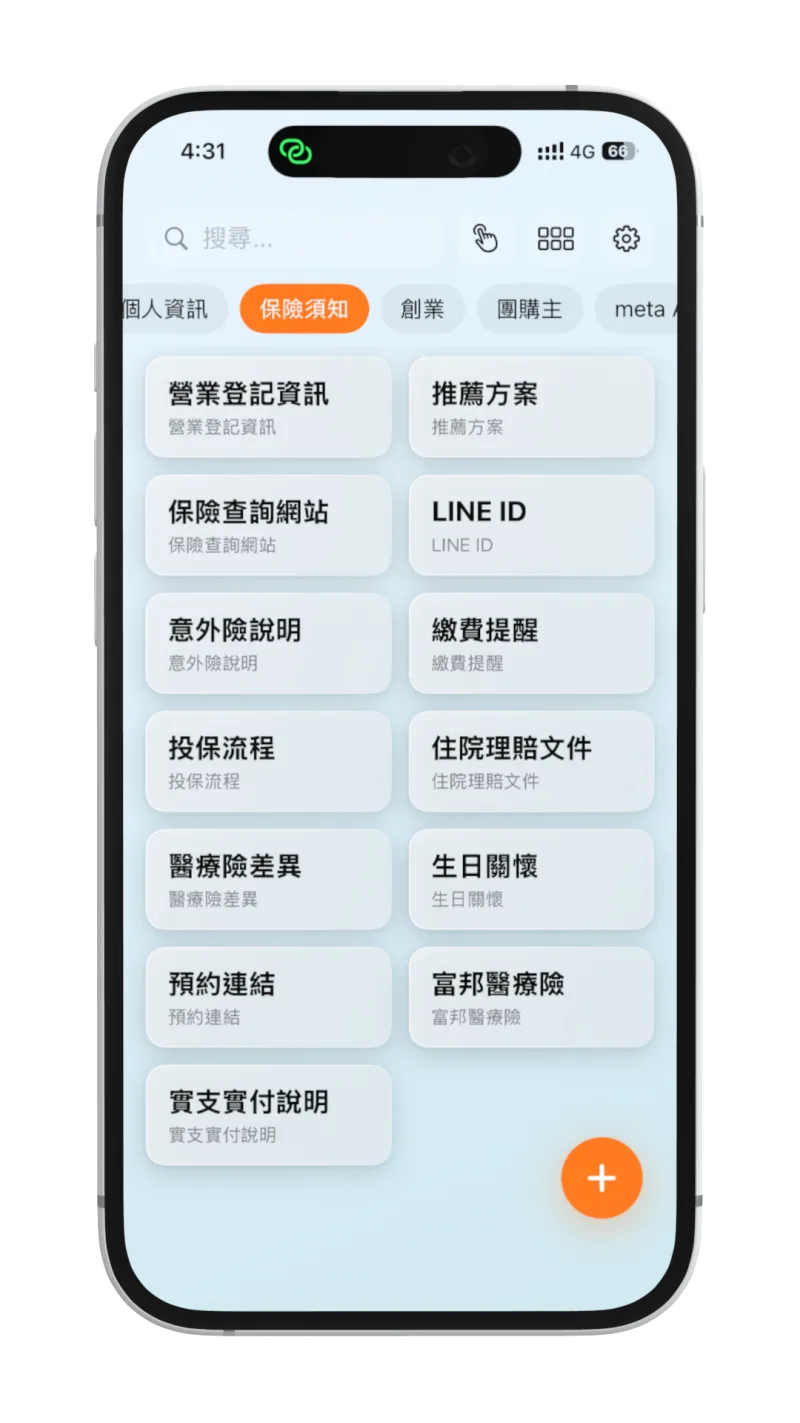
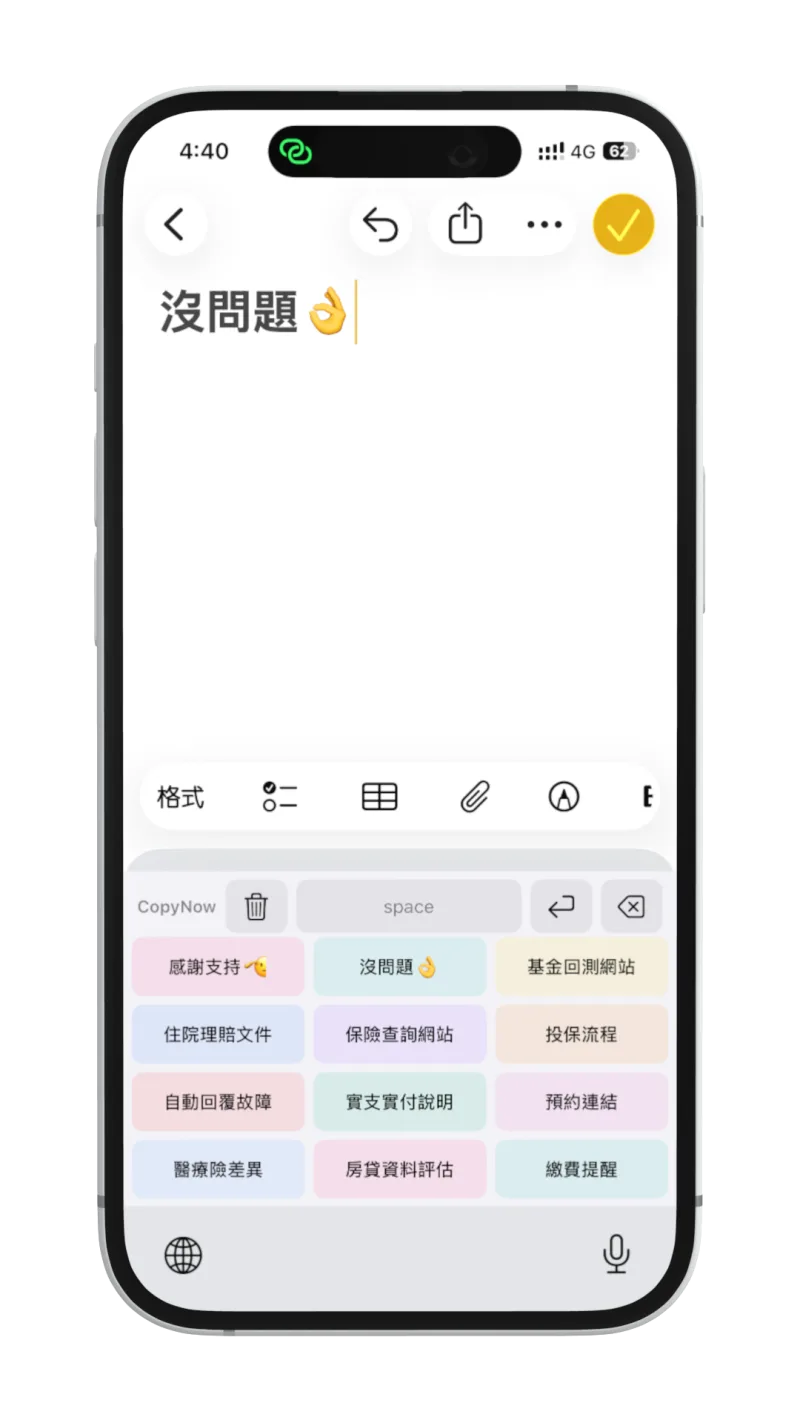
Then switch to the CopyNow keyboard and those cards sit right above any chat box — LINE or anywhere else. A customer asks about the enrollment process or wants the list of claim documents, and one tap drops the card’s text straight into the chat. No flipping back to the app to copy and paste — your replies just got a whole lot faster.
Why it helps the team
New hires don’t have to memorize scripts — following the cards gives them a solid baseline; veterans won’t drop key points when they’re rushing. The whole team’s reply quality naturally lands on the same level.